The best under desk cable management tray for a wood or laminate desk is a rigid steel tray long enough for your power strip, such as the IKEA SIGNUM (70×16 cm, 10 kg listed load), paired with reusable ties. Skip glass tops and confirm your desk suits its fixings.
The best under desk cable management tray is the one that fits your desk material, carries your power strip and adapter bricks without sagging, and sits where your knees and chair never touch it. For most people with a wood or laminate desk, that means a rigid steel tray fixed to the underside rather than adhesive clips alone. This guide is for home office workers, gamers, streamers and standing-desk owners who want the power strip off the floor and the cable tangle out of sight.
If you want the wider toolkit of clips, ties and routing ideas, our cable management for desk guide covers it. This page narrows the focus to the tray itself: how to size it, mount it and make it work with monitor arms and height-adjustable frames. Our advice is research-led and based on manufacturer specifications rather than hands-on testing, as explained in how we research gear. We only feature products whose exact specifications and photographs we could verify, so the list is short: one steel tray and two companions that handle jobs a tray cannot.
Quick picks for an under-desk tray setup
A tray does the heavy lifting, but it rarely works alone. Ties keep the bundles inside it tidy, and a small clip keeps a charging cable within reach at the desk edge.
| Pick | Best for | Key verified spec | Main limitation |
|---|---|---|---|
| IKEA SIGNUM | Holding a power strip and spare cable under a wood or laminate desk | Powder-coated steel; 70×16 cm; listed maximum load 10 kg | Not for glass tabletops; referenced listing is UK, so check local availability |
| VELCRO Brand ONE-WRAP Ties | Bundling cables inside the tray and along the route to it | Reusable pre-cut ties that fasten onto themselves; slotted head stays on the cable | Bundles cables only; carries no weight |
| Bluelounge CableDrop | Keeping a charging cable end at the desk edge | Peel-and-stick; Regular for cables up to 8–10 mm, Mini up to 4–5 mm | Adhesive depends on the surface; cannot hide a power strip |
Verified picks and their limitations
IKEA SIGNUM

The IKEA SIGNUM is a powder-coated steel tray that mounts under the desktop. IKEA lists it at 70×16 cm, roughly 27.6 by 6.3 inches, with a maximum load of 10 kg, about 22 lb. That length suits a typical six-outlet power strip with room left over for a laptop charger or dock power supply, and the load rating leaves headroom for a strip, several adapter bricks and coiled spare cable.
Who should choose it: anyone with a wood, particleboard or laminate desk who wants a rigid, open tray that is easy to reach into when you add or swap a device. The open steel design also lets air circulate around warm adapter bricks better than a closed box would.
Limitations: IKEA states the SIGNUM is unsuitable for glass tabletops. The listing we checked is IKEA’s UK page, so confirm it is sold in your region and read the current assembly instructions to see which fixings it uses and whether they suit your desk’s thickness and construction. If your desk is hollow-core or very thin, plan the fixings before buying.
VELCRO Brand ONE-WRAP Ties

VELCRO Brand ONE-WRAP Ties are reusable, adjustable pre-cut ties that fasten onto themselves. The slotted head lets you leave a tie attached to a cable, so it stays put when you unplug a device and is ready when you plug it back in.
Who should choose them: everyone filling a tray. Loose cables tend to slide out of an open tray over time; bundling each run means the tray holds neat loops instead of a nest. Because the ties are reusable, they suit desks where you change hardware often.
Limitations: they bundle cables but do not support weight on their own. Treat them as a general organizing product and do not assume fire ratings that belong to separate industrial ONE-WRAP variants.
Bluelounge CableDrop

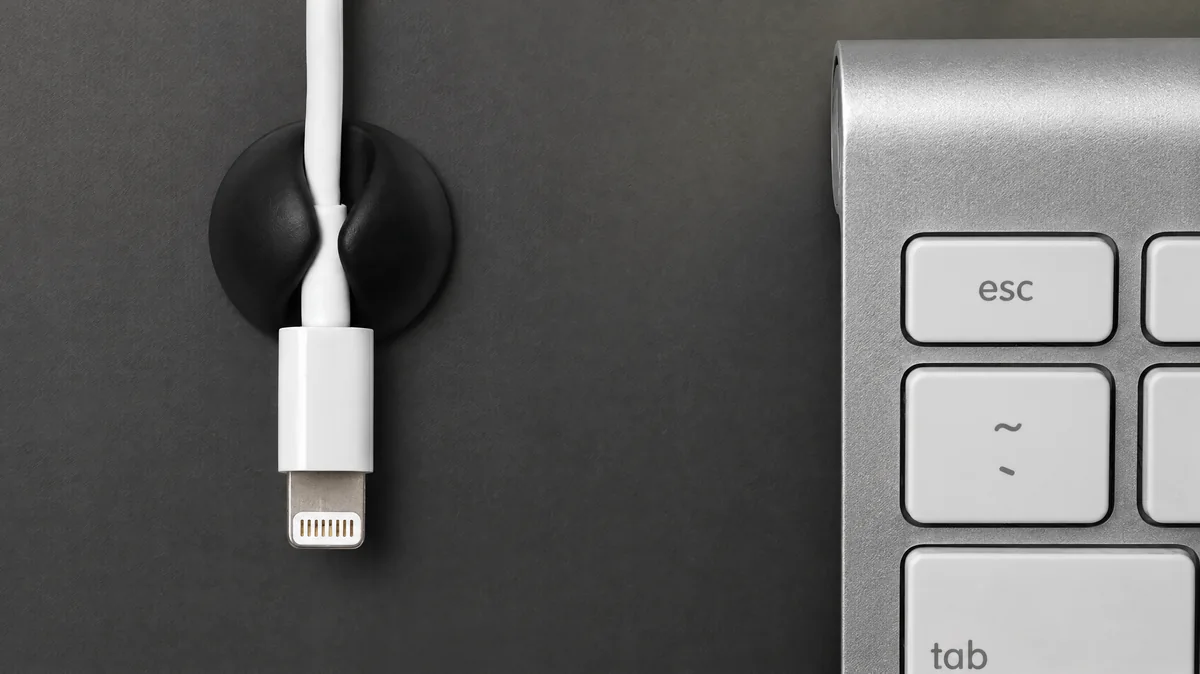
Bluelounge CableDrop is a peel-and-stick cable holder. The Regular version is listed for cable diameters up to 8–10 mm and the Mini for up to 4–5 mm. Stuck to the desk edge or the tray’s front lip, it keeps the end of a phone or headset charging cable from dropping behind the desk.
Who should choose it: people who charge devices at the desk and want one or two cable ends visible while everything else stays hidden.
Limitations: adhesive grip depends on the surface, and the cable diameter must match the size you buy. It does not hide a power strip, so it complements a tray rather than replacing one.
How to choose the best under desk cable management tray
Choosing the best under desk cable management tray comes down to five measurements and decisions. Get these right and almost any well-made tray will do its job.
Length and depth
Measure your power strip with plugs inserted, not bare. Wide plugs and wall-wart style adapters can add several centimetres of depth. Then add space for coiled spare cable. If the strip only just fits, the tray will be full on day one, and every new device becomes a struggle.
Load rating
Weigh what will sit in the tray. A kitchen scale works for a power strip and each adapter brick. Laptop chargers, dock power supplies and monitor power bricks add up quickly. Aim to stay comfortably under the listed maximum rather than at it, because the load also stresses the fixings and the desk material they go into.
Mounting method and desk material
Screw-mounted trays are the most stable on solid wood or thick particleboard. Clamp-on trays avoid holes, which helps renters, but depend on the desk edge thickness and on having a clear overhang free of frame rails and monitor arm clamps. Adhesive mounts suit light loads only. Hollow-core desks need care with screw length, and glass desks generally rule out under-mounted trays entirely.
Open tray, basket or closed trunking
| Style | Strengths | Trade-offs | Who it suits |
|---|---|---|---|
| Open steel tray | Easy access, good airflow, rigid | Contents visible from low angles | Most home offices and gaming desks |
| Wire mesh basket | Light, plenty of tie points | Small plugs can poke through gaps | Desks with many thin cables |
| Closed trunking or box | Hides everything | Harder to reach in; less airflow around bricks | Shared offices where looks matter most |
| Fabric sling or net | Very light, flexible | Sags under weight; little structure | Very light loads only |
Position under the desk
The tray should sit toward the back edge, away from knees and chair arms, and close to where cables drop from your monitors and computer. Check where your monitor arm clamp, desk legs and any keyboard tray will be before you mark holes.
Under desk cable management with a power strip
Holding a power strip is the main reason most people want the best under desk cable management tray, and it is where a little care pays off. A tray is a support, not an electrical product, so it does not replace safe wiring practice.
- Follow the power strip manufacturer’s instructions on mounting and load, and do not exceed its rating.
- Avoid plugging one power strip into another.
- Keep adapter bricks where air can reach them instead of burying them under coiled cable.
- Run one cord from the strip to the wall outlet, and make sure it cannot be pinched by desk legs or a moving frame.
- Leave the strip’s switch reachable if you use it to cut power at the end of the day.
A useful layout is to place the strip in the tray with outlets facing up or toward you, plug in the bulkiest adapters at the ends, and loop each device’s spare cable with a tie before it enters the tray.
Compatibility checklist before you buy
Run through this list for any tray you consider, including the IKEA SIGNUM.
- Desk top material: wood, particleboard, laminate, hollow-core or glass. Glass rules out many trays, including the SIGNUM.
- Desk thickness and underside: enough solid material for the fixings, or a clean edge for clamps.
- Clear mounting zone: no frame crossbars, drawer runners, keyboard tray rails or monitor arm clamps in the way.
- Tray dimensions: fits your power strip with plugs inserted, plus adapters and spare cable.
- Load: weighed contents comfortably under the listed maximum.
- Knee and chair clearance: tray depth plus contents does not hit your legs or chair arms.
- Standing desk travel: enough slack in the wall cord for the full height range.
- Regional availability: the exact model is sold where you live, with current instructions.
Worked example: a standing desk with a dual monitor arm
Here is how the pieces come together on a common setup: a laminate standing desk, two monitors on a clamp-mounted dual arm, a laptop on a USB-C hub, desk speakers and a phone charger.
- Map the underside. With the desk at sitting height, note where the frame crossbar and the monitor arm clamp sit. Our dual monitor arm guide explains clamp and grommet placement if you have not fitted the arm yet.
- Weigh and measure. Weigh the power strip, laptop charger, monitor power bricks if external, and speaker adapter. Measure the strip with plugs in.
- Pick the tray position. Center it behind the arm clamp but offset enough that the clamp’s tightening knob stays reachable.
- Mount the tray following its instructions, using fixings that suit the laminate desk’s thickness.
- Load the power strip first, then plug in each adapter, placing the largest at the ends.
- Route display and USB cables down the monitor arm, then into the tray. Loop spare length and secure each loop with a ONE-WRAP tie. If you use a hub, see our USB-C hub guide for charging and display limits before you commit to cable lengths.
- Add a CableDrop at the desk edge for the phone charger cable, choosing Regular or Mini to match the cable diameter.
- Test the full height range. Raise the desk to its top position and watch the wall cord. Add slack if it pulls tight, and tie it to the frame leg so it cannot swing into the motor or cross brace.
Because everything except the wall cord is fixed to the desktop, it moves together. That is why a tray suits standing desks so well. Running two computers on one desk adds a KVM and more cables; our dual PC desk setup plan shows how to route them.
Mistakes people make with under-desk trays
- Measuring the bare power strip. Plugs and adapters add depth and length, so the tray ends up too small.
- Ignoring the monitor arm clamp. A tray fitted first can block the clamp or the grommet route.
- Loading to the limit. A tray at its maximum load leaves no margin for new devices or for the desk material around the fixings.
- Too little slack on a standing desk. A tight wall cord can pull plugs loose or catch on the frame.
- Burying adapter bricks. Piling coiled cable on top of chargers traps heat.
- Using adhesive for heavy loads. Peel-and-stick holders are for single cables, not power strips.
- Buying for a glass desk without checking. Many trays, including the SIGNUM, are not meant for glass.
Pick the best under desk cable management tray for your actual desk, not a generic one, and pair it with ties for the bundles and a clip for the cable you touch daily. For more desk projects, browse our desk and setup coverage or the full list of PC buying guides, including our monitor arm fit guide.
Frequently asked questions
Do under-desk cable trays need drilling?
It depends on the design. Screw-mounted trays need screws driven into the underside of the desk, which suits solid wood and thick particleboard. Clamp-on trays grip the desk edge instead, which helps renters but depends on edge thickness and overhang. Adhesive options exist but are best kept for light loads. Always check the current assembly instructions for the exact tray you buy before you start.
Can I put a power strip in an under-desk cable tray?
Yes, holding a power strip is one of the main reasons to fit a tray. Follow the power strip's own instructions, do not exceed its rated load, avoid plugging one strip into another, and keep adapter bricks where air can reach them. Run a single cord from the strip to the wall and give it enough slack for any desk movement.
What size under-desk cable tray do I need?
Measure your power strip with plugs inserted, then add room for adapter bricks and coiled spare cable. Depth matters as much as length because wide plugs and laptop chargers take space. The IKEA SIGNUM measures 70×16 cm, roughly 27.6 by 6.3 inches, which gives a useful reference point when comparing other trays.
Does a cable tray work on a standing desk?
Yes. Because the tray is fixed to the desktop, it rises and falls with your monitors and peripherals, so cables between the desk and tray stay still. Only the cord running from the tray to the wall outlet moves. Leave enough slack in that cord for the full height range, and route it so it cannot snag on the desk frame.
Can I use a cable tray on a glass desk?
Many trays are not designed for glass. IKEA, for example, says the SIGNUM is unsuitable for glass tabletops. Screws cannot go into glass, and clamps can concentrate pressure on it. On a glass desk, look for a frame-mounted solution, a floor-standing cable spine or routing along the desk legs, and follow the desk maker's guidance.
Research-led guides for better PC setups. Read how we select and check gear.